AED 1.76M a year saved by answering FAQs before customers call

Landmark Group –
Overview
Delivery questions were the single biggest reason customers contacted Landmark Group’s e-commerce support, and most of them ended up on the phone, our most expensive channel. Many of those calls asked things the order page could have answered.
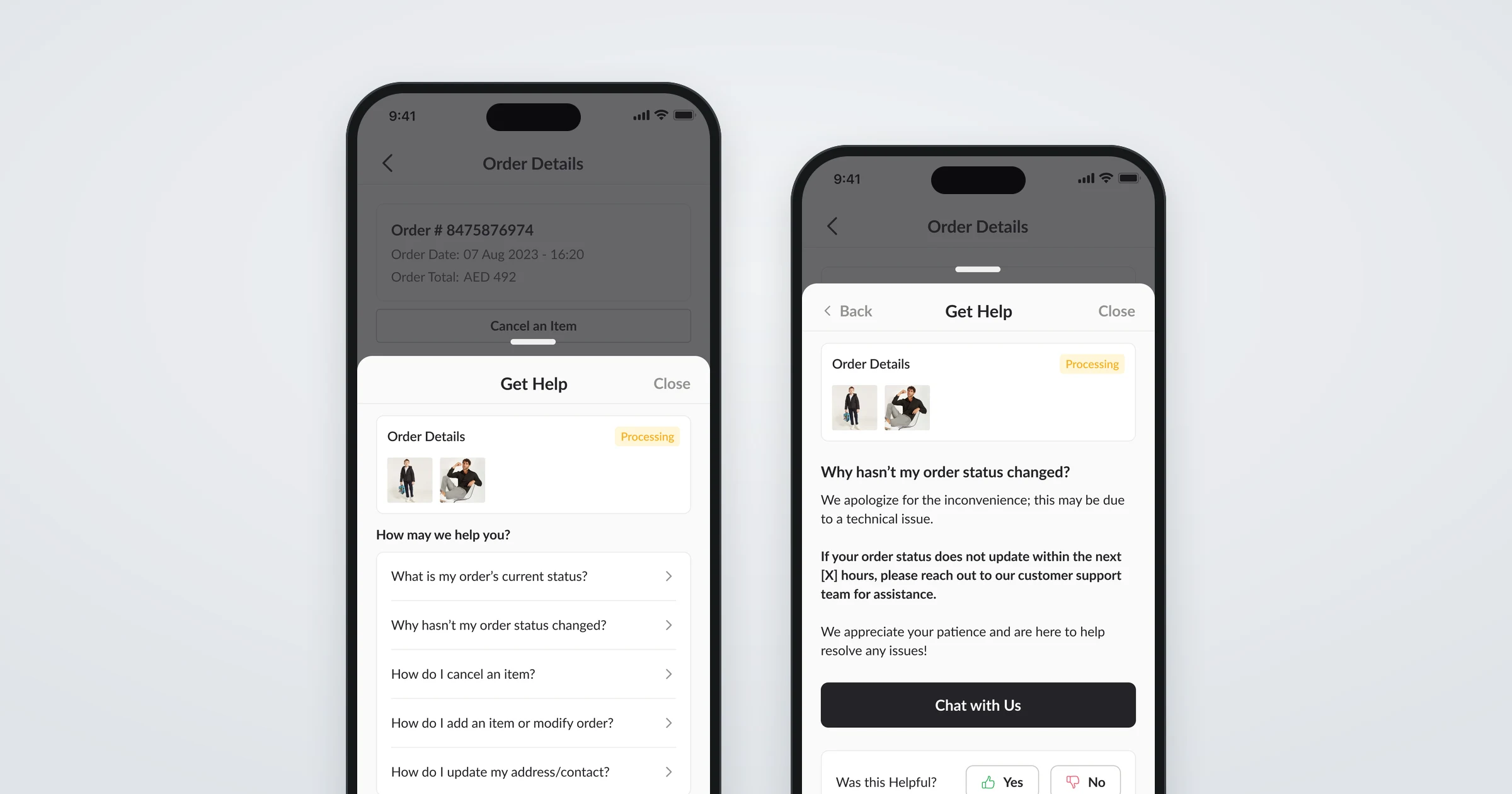
We designed self-serve customer support: a “Get help” entry point on every order that answers the questions customers have at each stage of delivery, offers the action they need, and only then hands them to a person, starting with chat.
- Reduction in voice-channel support costs
- ~50%
- Saved a year on call-centre contacts
- AED 1.76M
I was the lead product designer on the project, working with the product, tech, and customer support teams.
The problem
Delivery issues and complaints made up around 30% of all customer service contacts, more than 30,000 a month. 85% of them needed an escalation or an action that frontline agents couldn’t take, which slowed customers down and added cost at every step.
Most of these contacts came in by phone, and every call cost far more than the alternatives.
- Phone, KSA
- AED 10.45
- Phone, rest of GCC
- AED 4.27
- Chat, email, and social
- AED 3.10
Together, calls added up to roughly AED 293K a month, or AED 3.5 million a year. That framed our question: how might we guide customers to non-voice channels, and answer more of their questions before they need to contact us at all?
Where help lived before
Across our apps and websites, help was hard to find and not tied to the customer’s order. A “Contact us” page under My Account listed chat, email, social media, and the call centre side by side, next to a general library of FAQs.
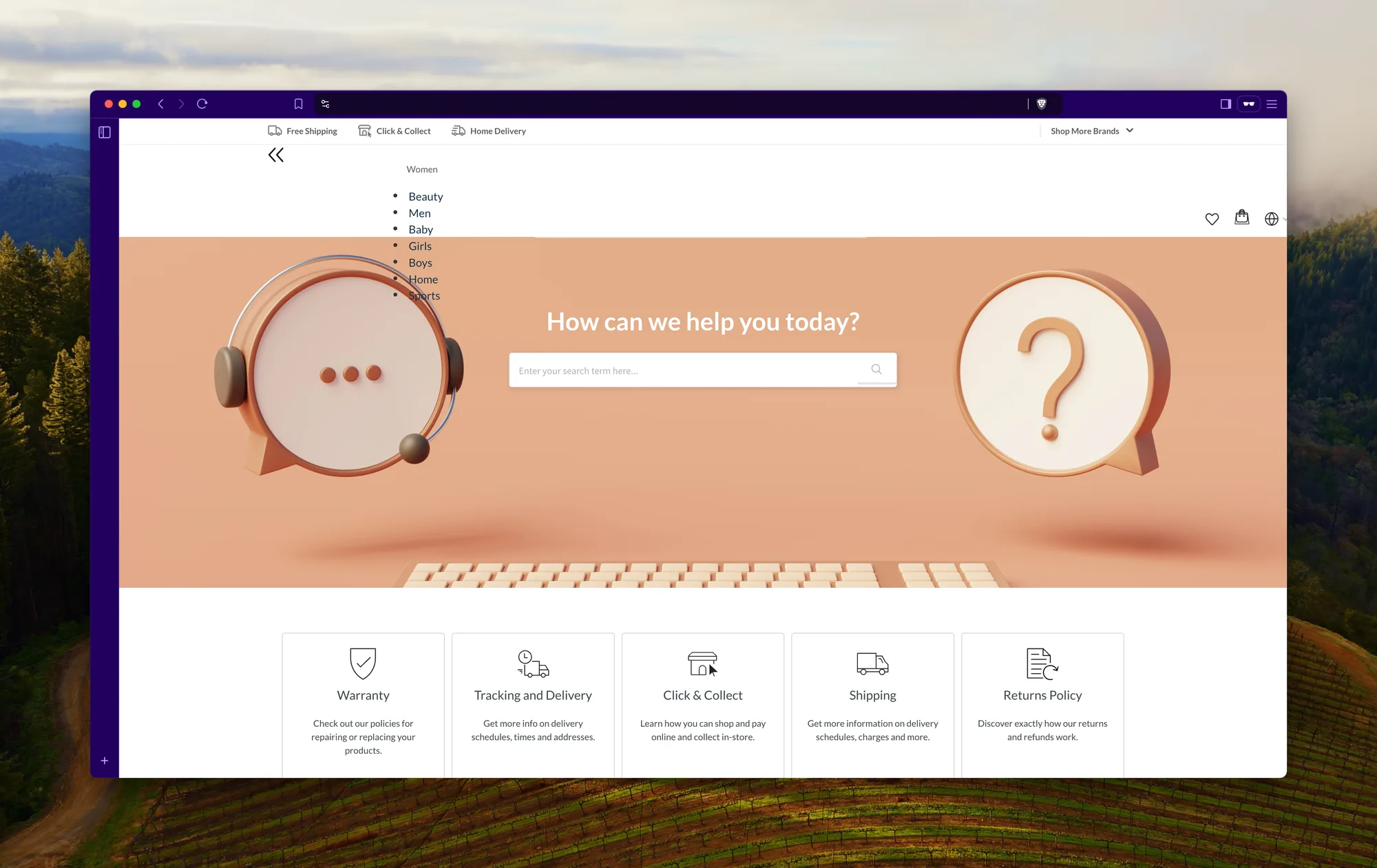
Faced with a list of topics that didn’t know about their order, customers called. Yet a lot of those calls didn’t need a person: 29.3% of all support interactions were delivery follow-ups, like where an order is or why its status hasn’t changed.
The approach
E-commerce and food delivery companies handle the same problem with self-serve support, usually reached through a “Get help” entry point on an order or in order history. Our version would be built around one idea: at every stage of delivery, show the questions customers actually ask at that stage, with an action wherever one would solve the problem.
Layered support
Resolve first, escalate second
Try to resolve the issue with an answer. If that doesn’t work, guide customers to a person, with chat ahead of the phone.
Questions for the current status
Context instead of search
Rather than searching a general FAQ library, customers see questions backed by data for where their order is right now.
Actions in the app
Fix it without an agent
Where the answer is something customers can do themselves, like cancelling an item or updating an address, take them straight to it instead of through an escalation.
Research
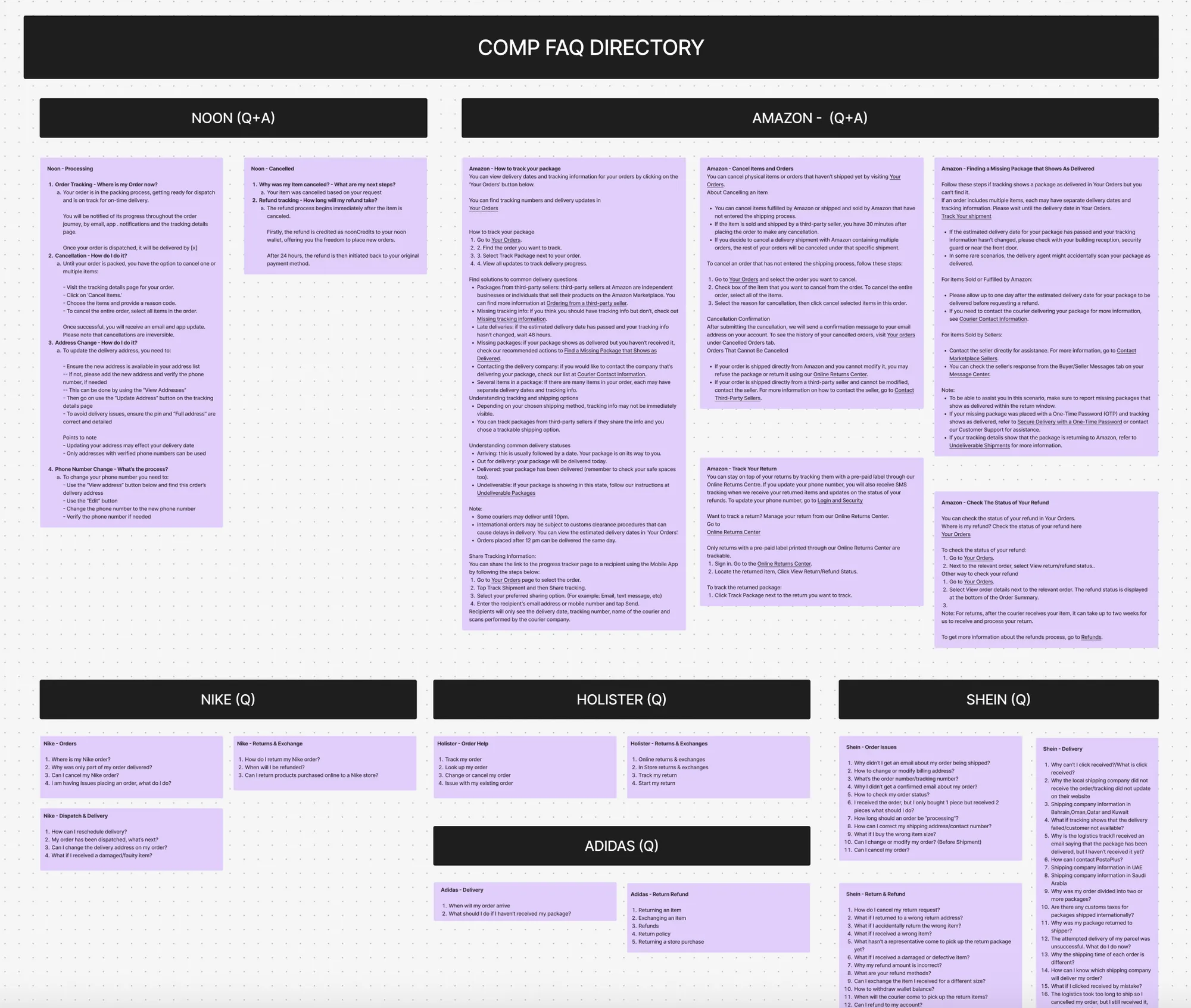
We collected self-serve support flows from competitors and companies in adjacent industries, from fashion and sportswear to marketplaces and food delivery, and looked most closely at Noon, Talabat, and Amazon.
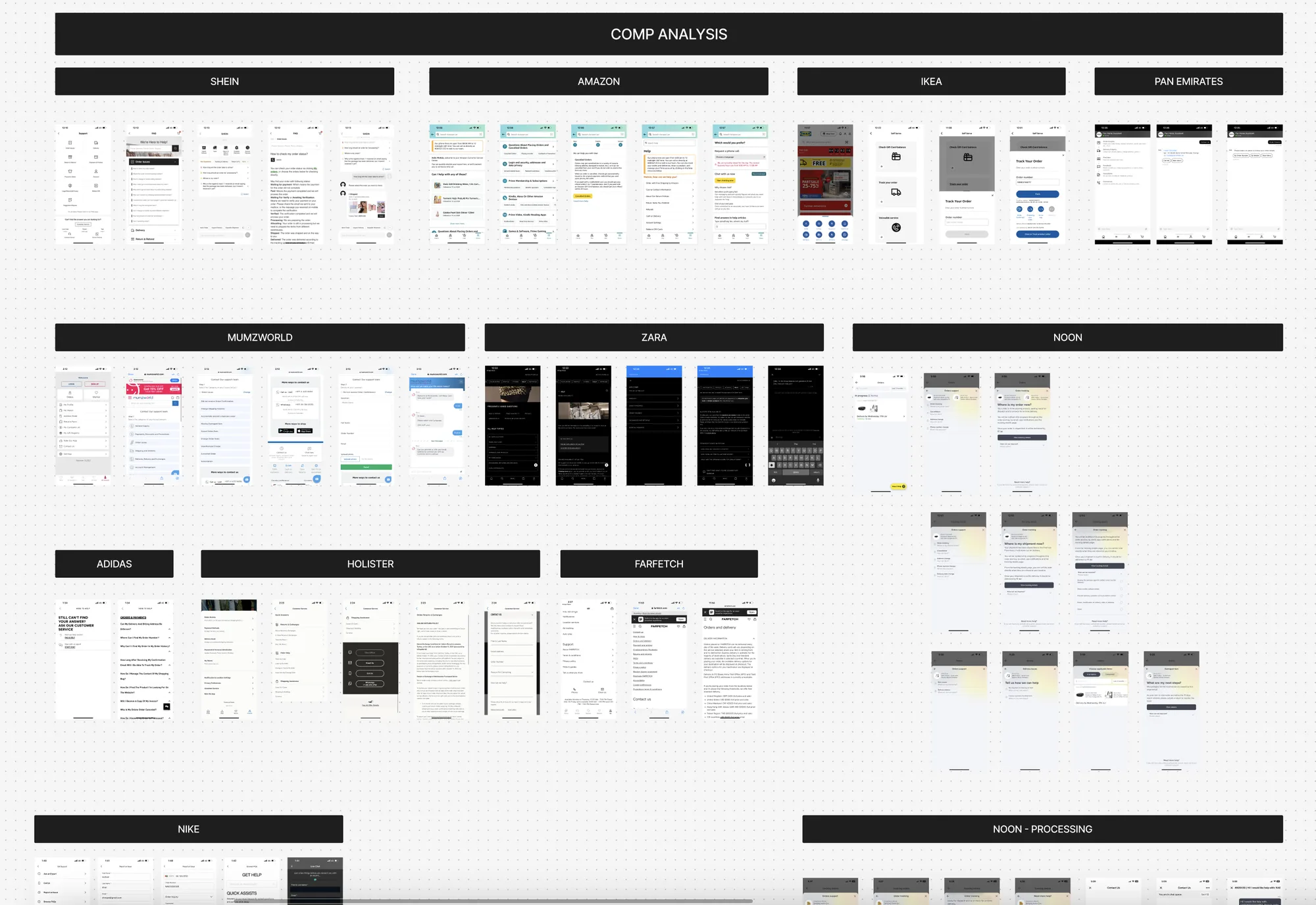
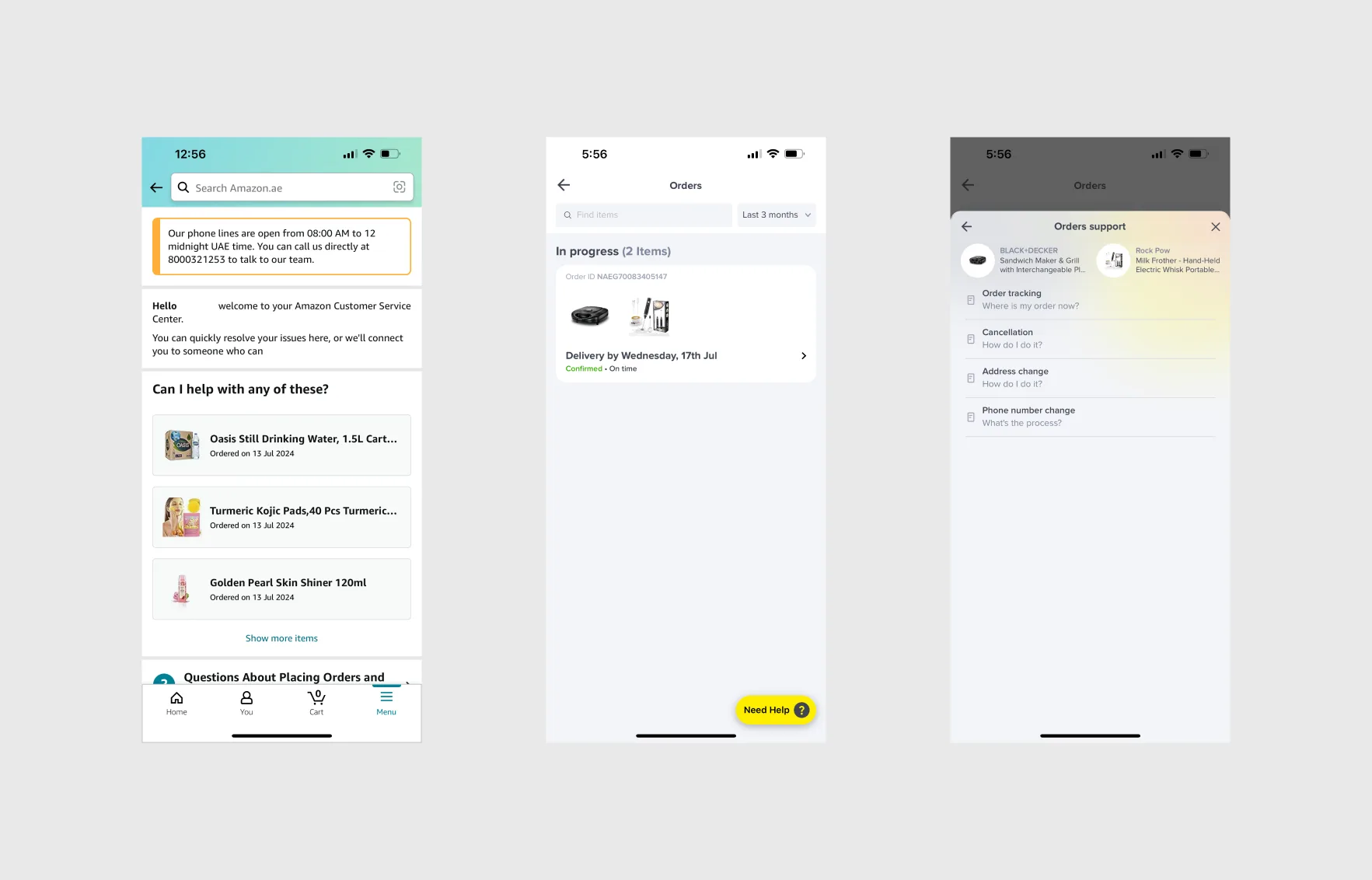
We also built a directory of competitors’ FAQs to understand the language and tone they used, and the cases our own list would need to cover.
Co-designing with customer support
Before opening Figma, we ran a series of virtual workshops with the customer support team, who knew these conversations better than anyone. Together we worked out:
- The delivery stages we would need to cover, and the issues that come up at each one
- Which questions mattered most, ranked by priority
- How the team currently answered each question
- How chat support worked today, and how we could build on it
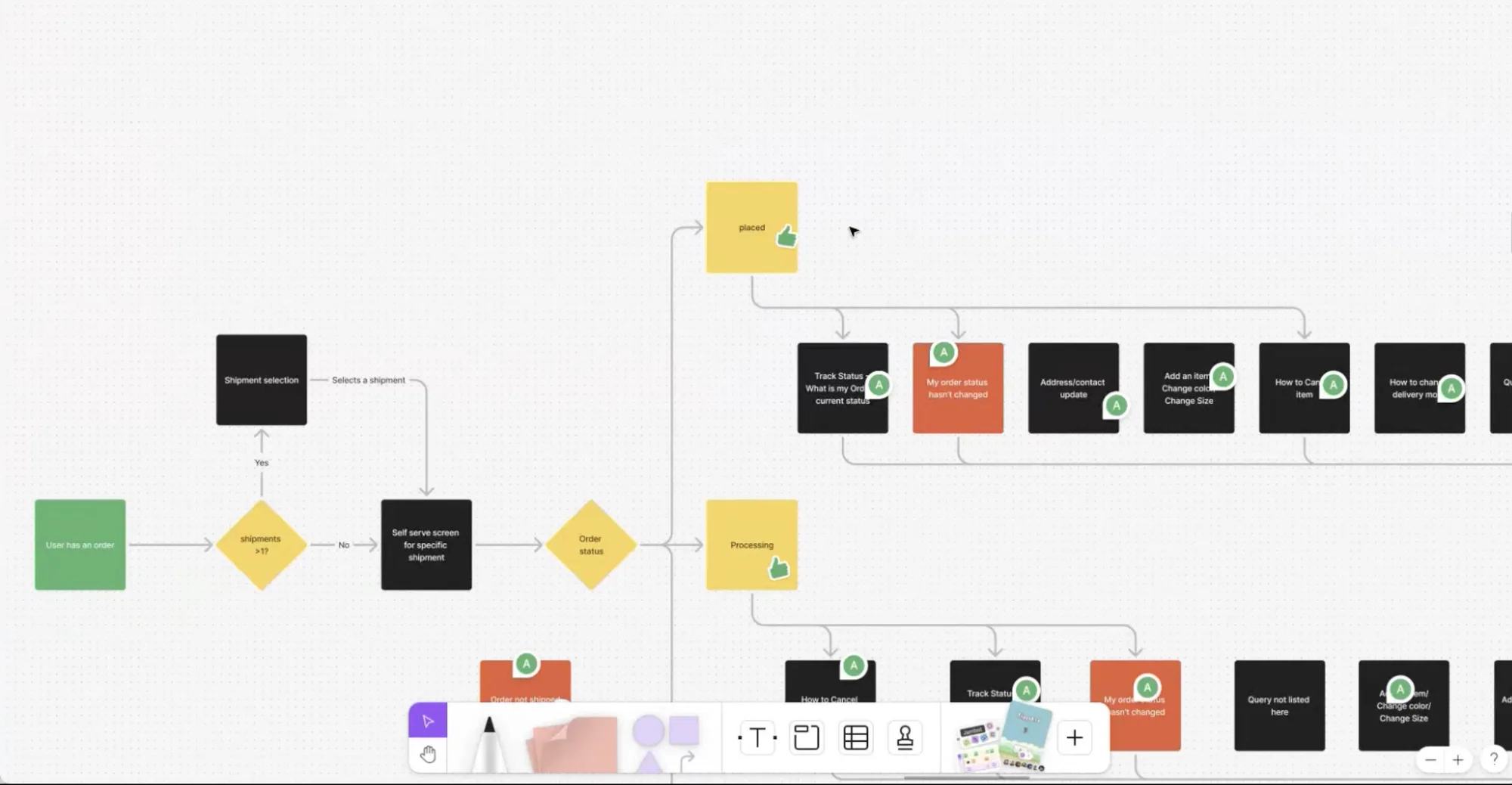
Building the flows with the team rather than for them meant every use case was covered, internal stakeholders and product aligned faster, and the project kept its pace.
The design
Help follows the order. Each delivery stage has its own questions, ordered by how often customers ask them, and actions sit alongside wherever customers can fix the issue themselves.
Placed
- What is my order’s current status?
- Why hasn’t my order status changed?
- How do I cancel an item?
- How do I add an item or modify my order?
- How do I update my address or contact details?
- How do I change the delivery mode?
ActionsCancel an item
Processing
- What is my order’s current status?
- Why hasn’t my order status changed?
- How do I cancel an item?
- How do I add an item or modify my order?
- How do I update my address or contact details?
ActionsChat with us
Shipped
- What is my shipment’s current status?
- How do I reschedule the shipment?
- I got my shipment, but it still shows as shipped
- How do I cancel an item?
- How do I update my address or contact details?
ActionsView trackingChat with us
Out for delivery
- When will the courier arrive?
- How do I reschedule the shipment?
- The courier hasn’t attempted delivery
ActionsView trackingChat with us
Delivered
- How do I return an item?
- I’m missing an item from my shipment
- My order says delivered, but I haven’t received it
- I’ve received damaged items
- I’ve received the wrong items
- Issues with the courier’s behaviour
ActionsReturn an itemChat with us
Non-delivery return
- How do I get a refund on my order?
- Can my order be reshipped to me?
Help on every order
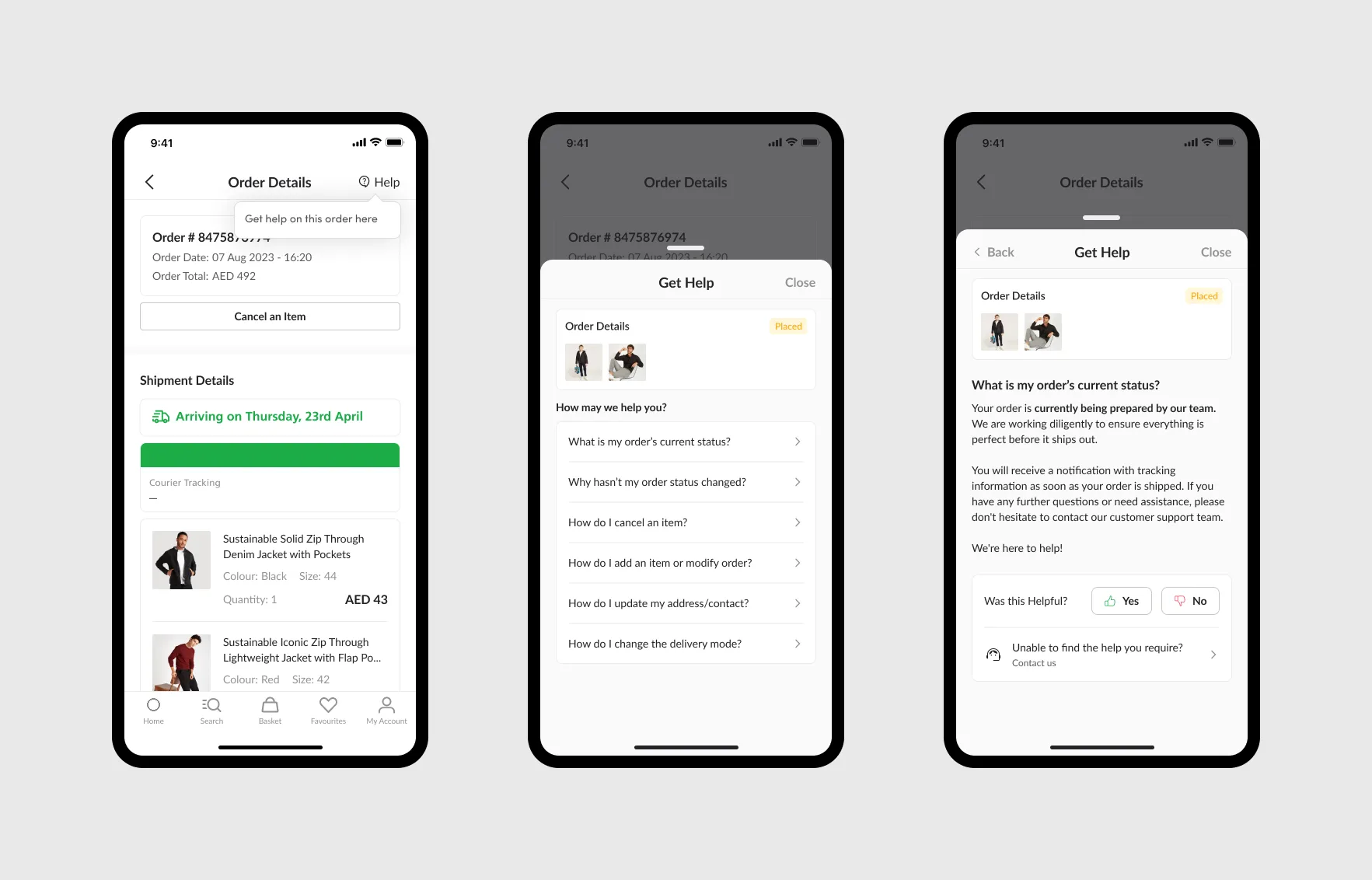
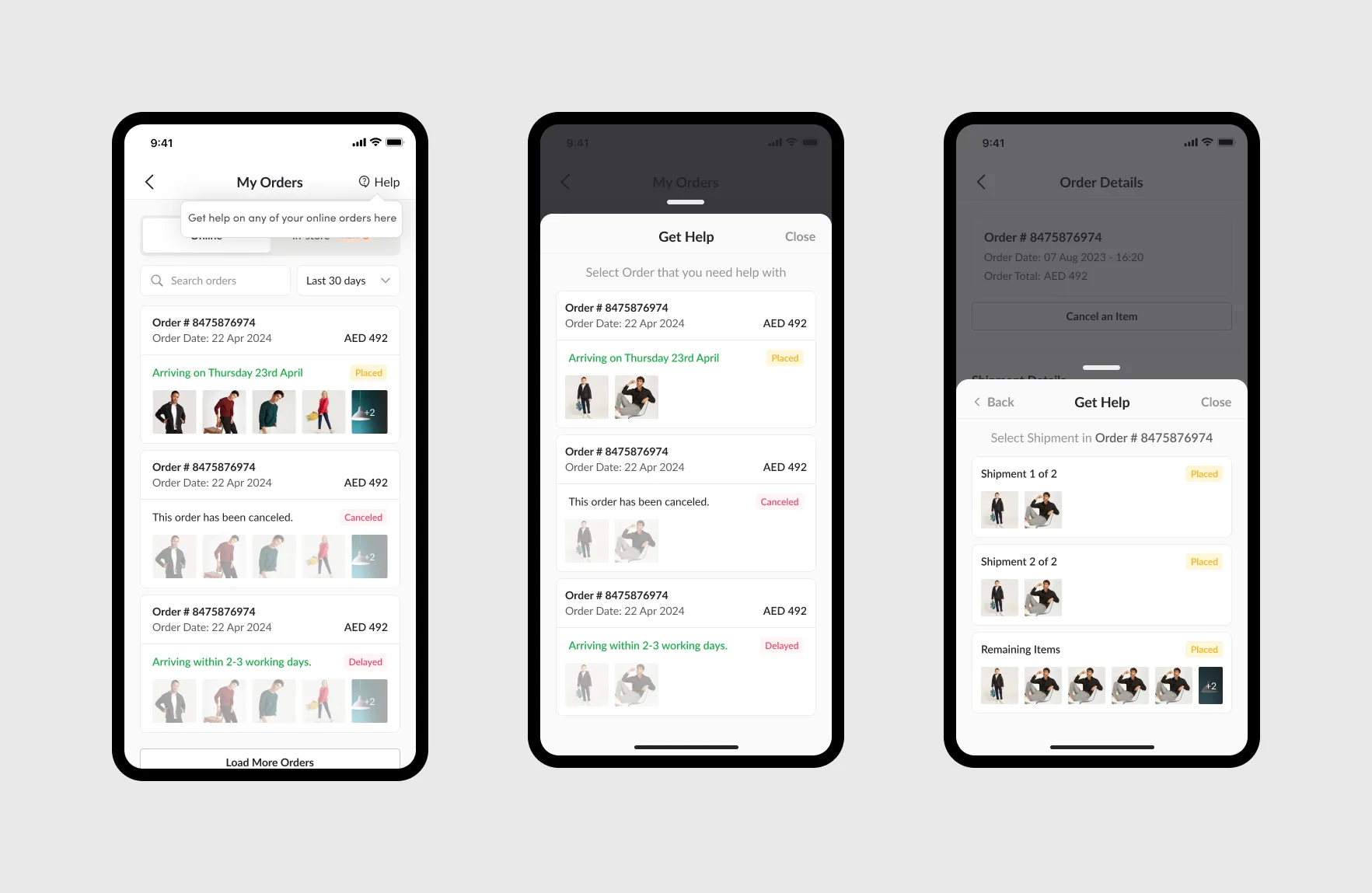
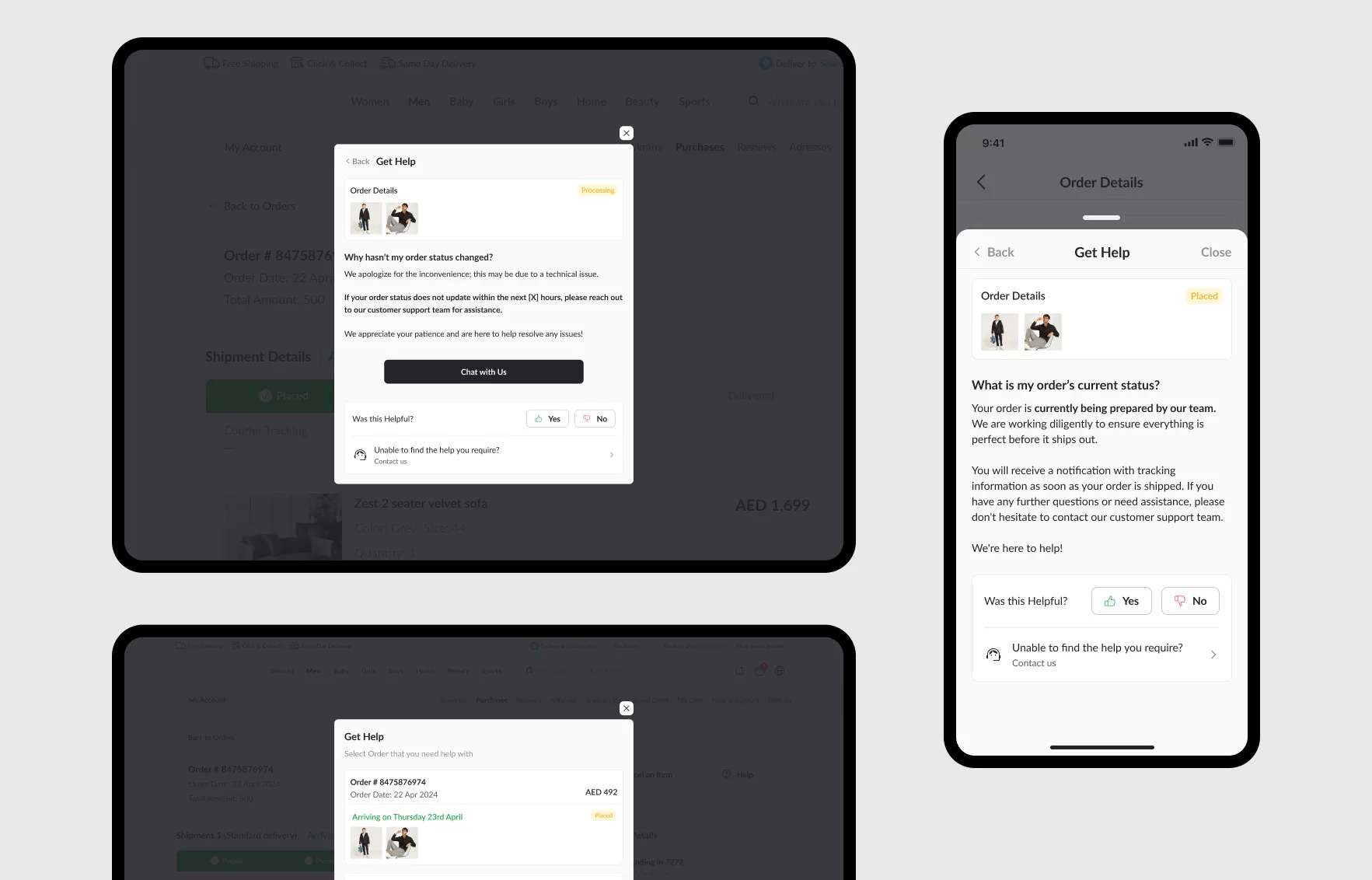
A Help button on the order details page opens “Get help” for that order. Customers see the order’s status and the questions that matter at that stage, and each answer asks whether it helped.
A clear path to a person
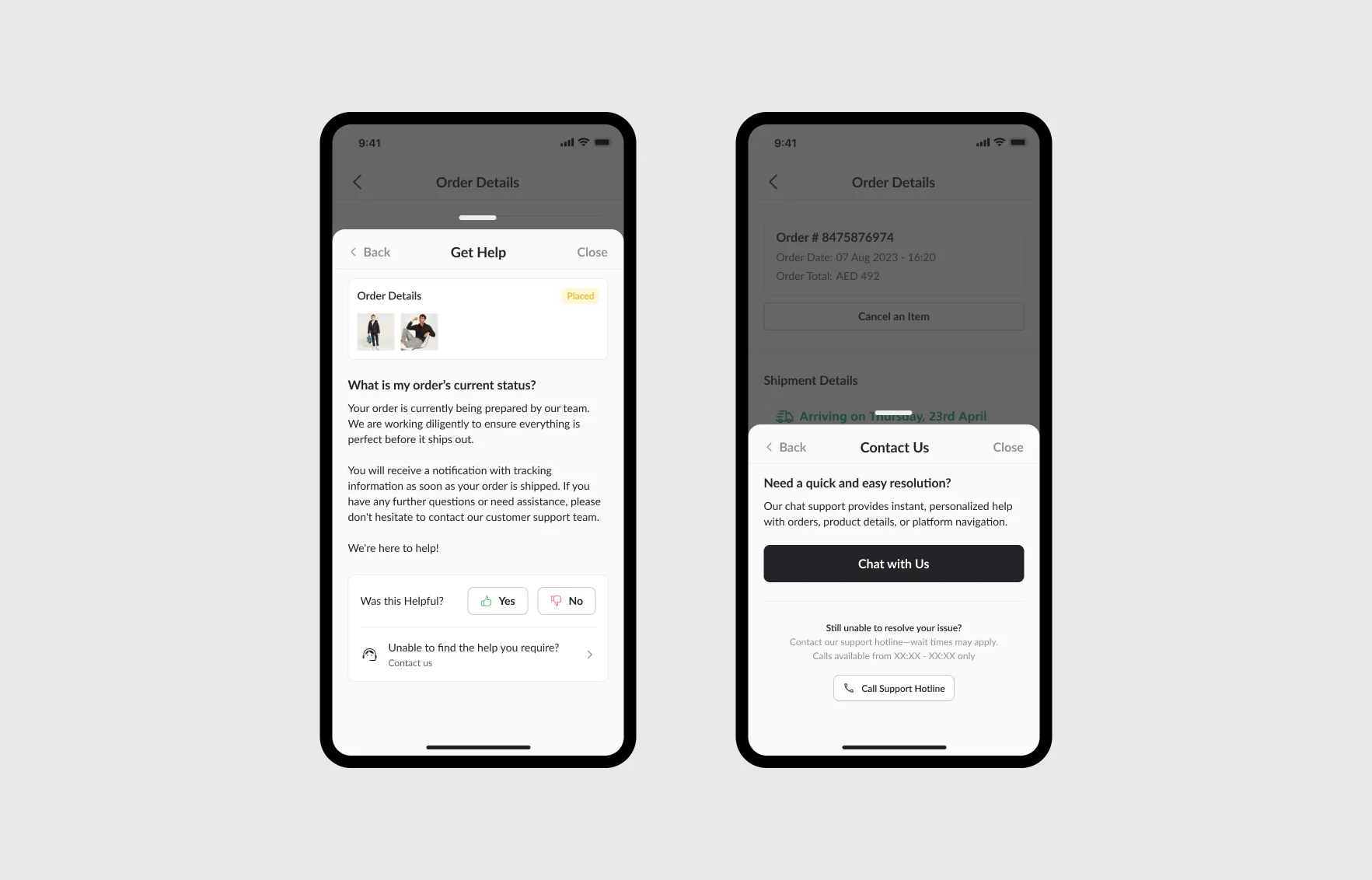
When an answer doesn’t solve the problem, customers can still reach us, but the path leads with chat, which is quicker for them and cheaper for us. The support hotline stays available below it, with its hours and expected wait.
Help from the order list and for split shipments
Customers can also start from My Orders and pick the order they need help with. When an order arrives in several shipments, they choose the shipment, so the questions match where each part of the order actually is.
Across app and web
The same experience runs in the apps and on desktop and mobile web, so customers find help in the same place wherever they shop.
Reflection
The cheapest support contact is the one a customer never needs to make. Most of the work was knowing which questions to answer, when, and in whose words, and the customer support team already knew. Designing alongside them gave us the right questions for every stage, and answers that sounded like the people customers would otherwise have called.
Putting help on the order itself meant customers didn’t have to describe their order to us: we already knew where it was.